
Where can I find my username and password? 
When you create your AMU student account, you are given a default username and password. These two pieces of information can be found in the e-mail you will receive in your personal mailbox at the end of your registration.
Example of an email following registration:
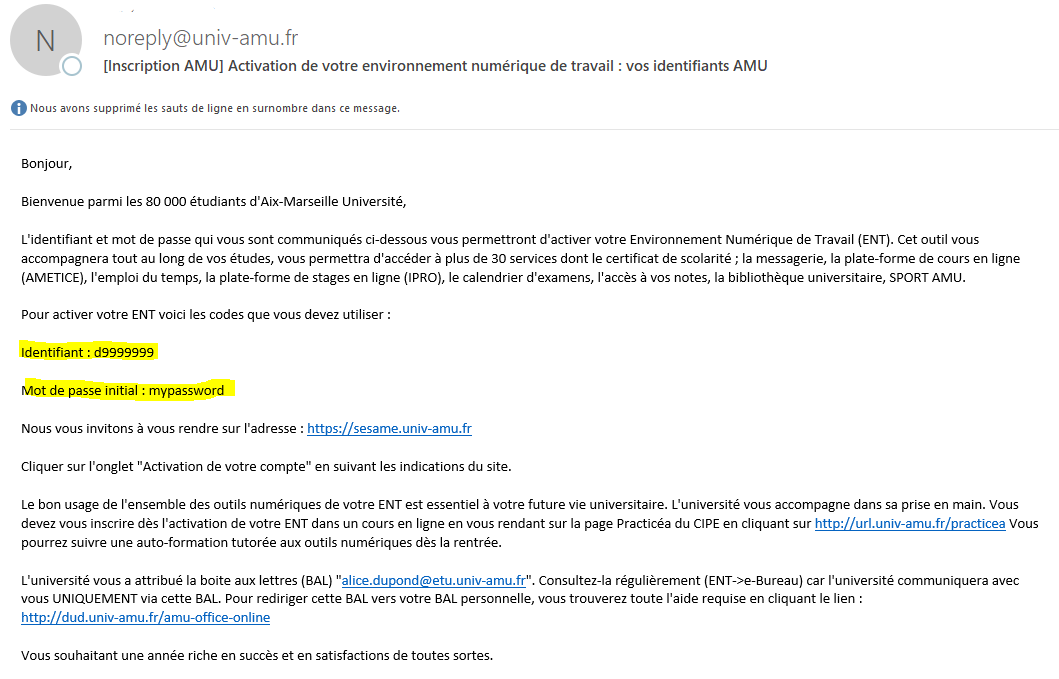
These two items of information must be entered as they appear on this document, i.e. using only lower-case letters and numbers.
How do I activate my account? 
Activating your account is a prerequisite for using it. You cannot access the services associated with your AMU student account without first activating it.
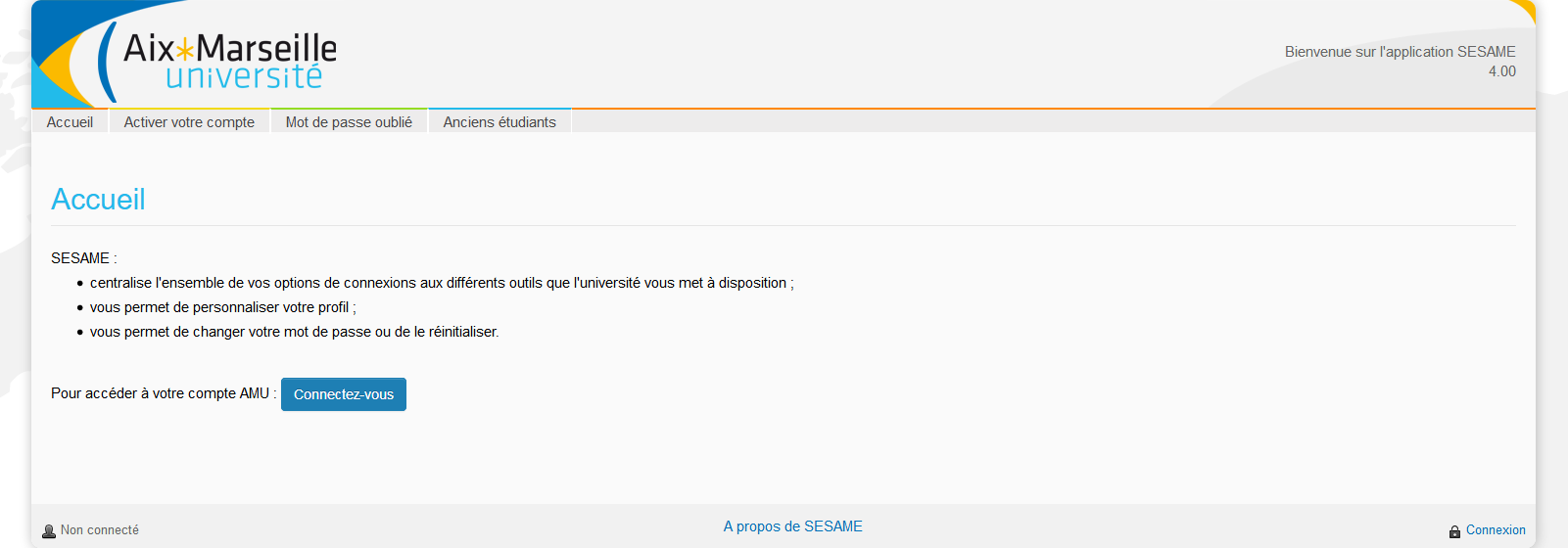
To activate your AMU account, open a browser at https://sesame.univ-amu.fr, click on Activate your account :
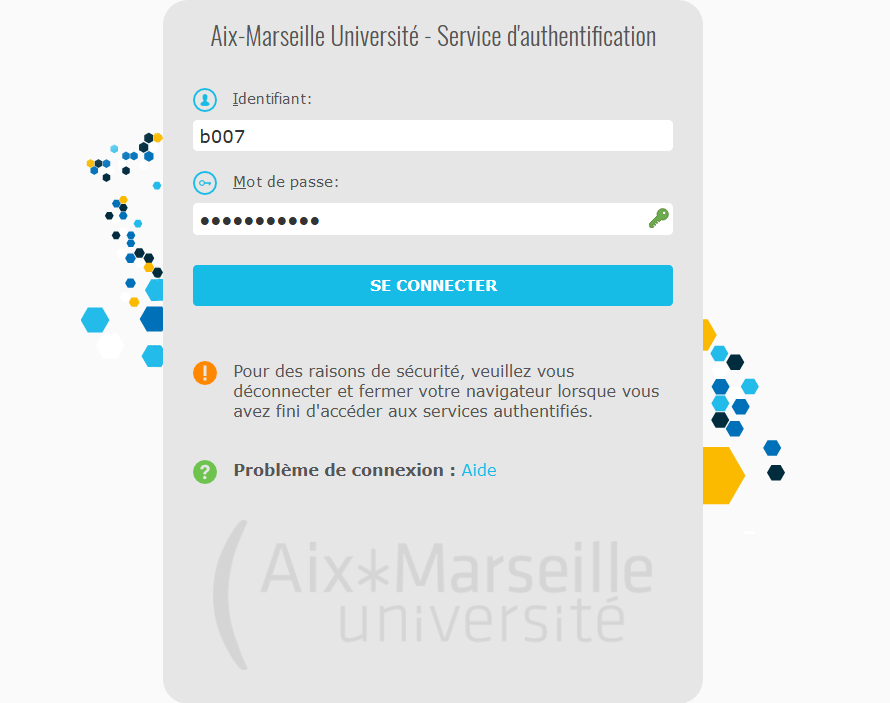
Enter your username and initial password :
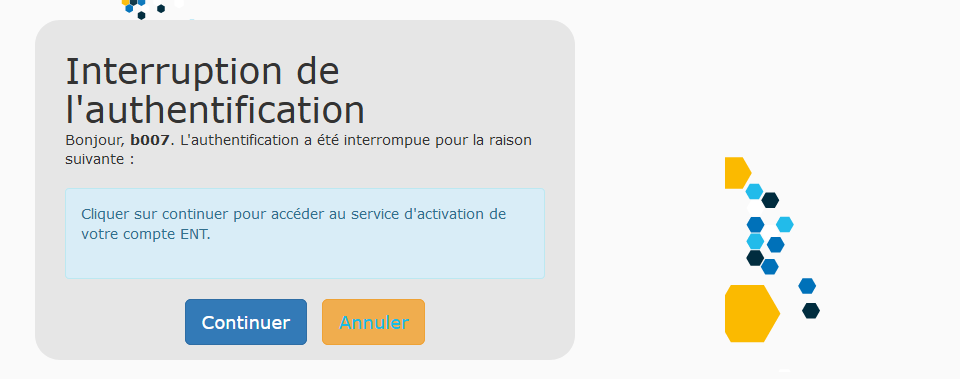
You will then be presented with the following page, click on Continue :
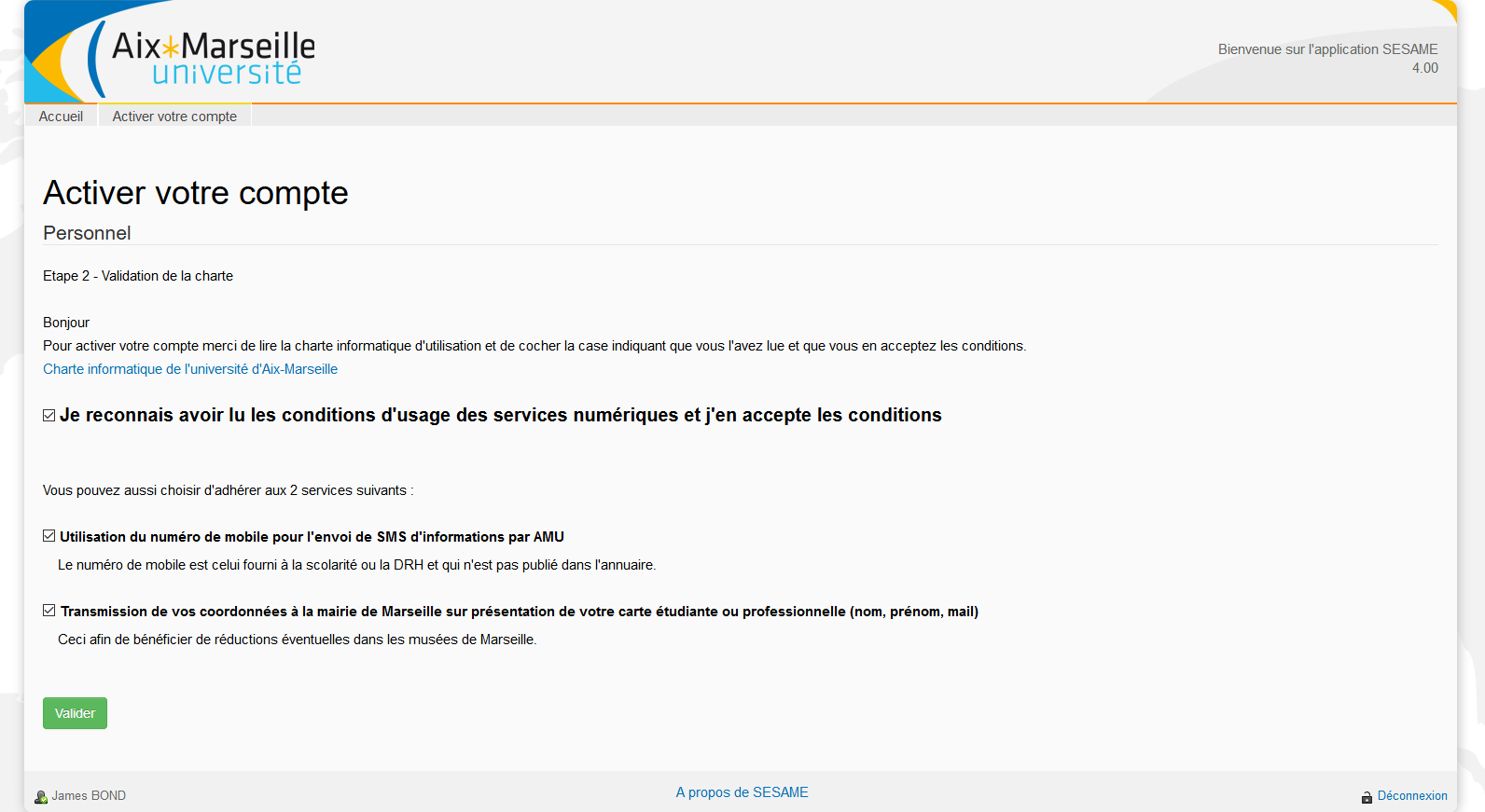
Read all the information on the next page, then tick the box I acknowledge that I have read the conditions of use of digital services and I accept the conditions to be able to proceed to the next stage by clicking on Validate :
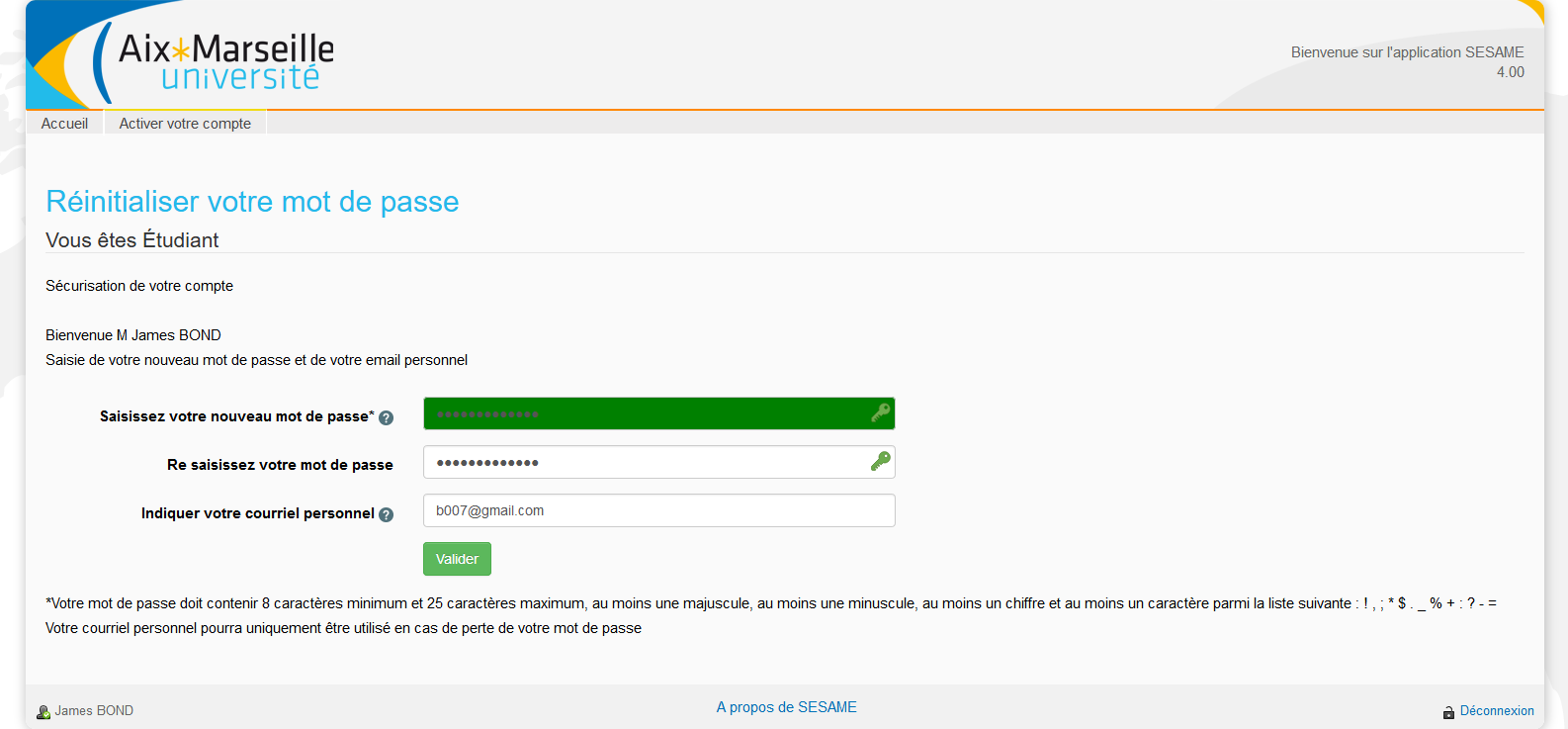
Enter a new password, taking into account the security rules imposed, and enter your personal e-mail address:
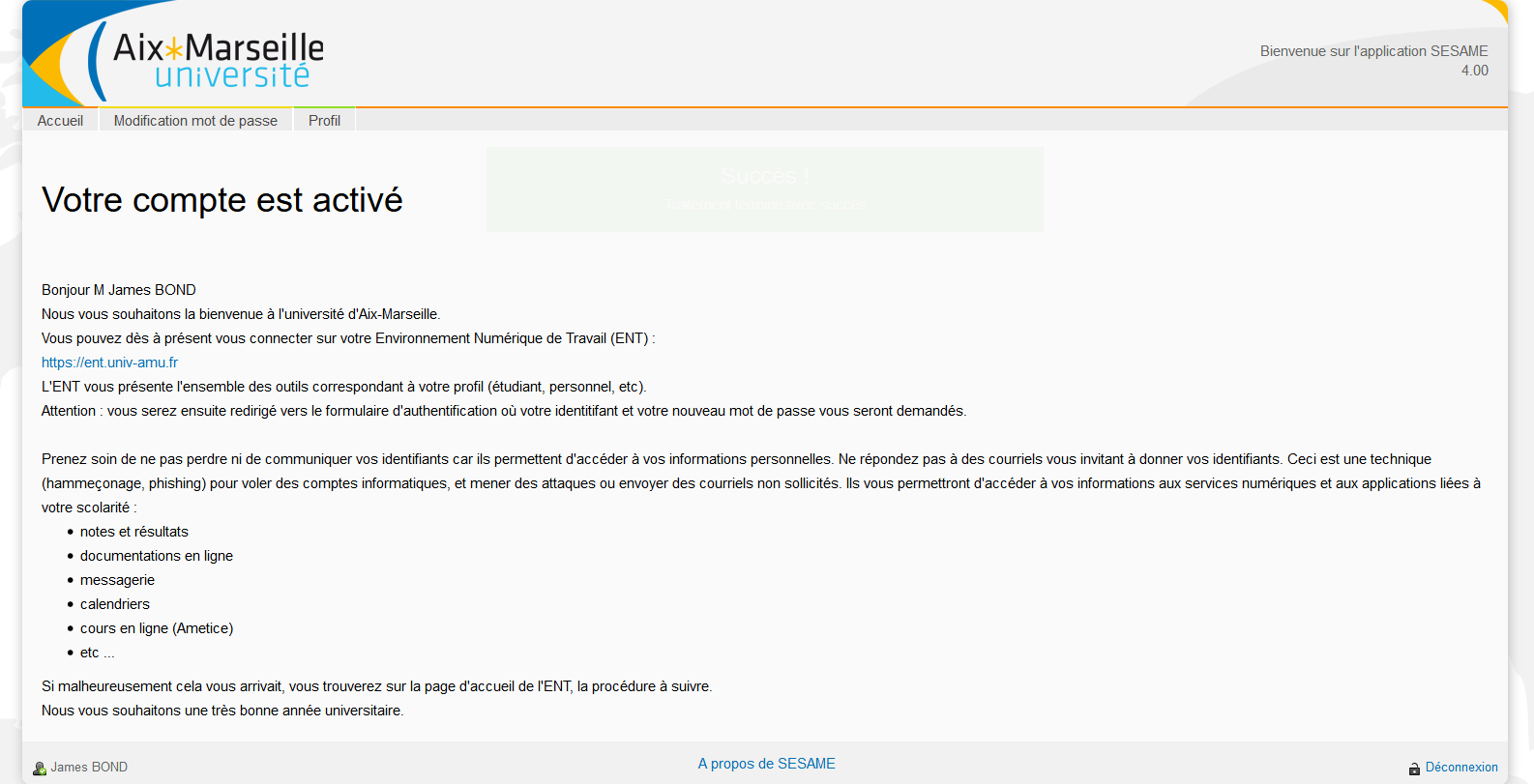
Your account is now activated and you can connect to all AMU digital services:
I've lost my password. How do I reset it? 
To reset your password, open a browser at https://sesame.univ-amu.fr and click on Forgotten your password?
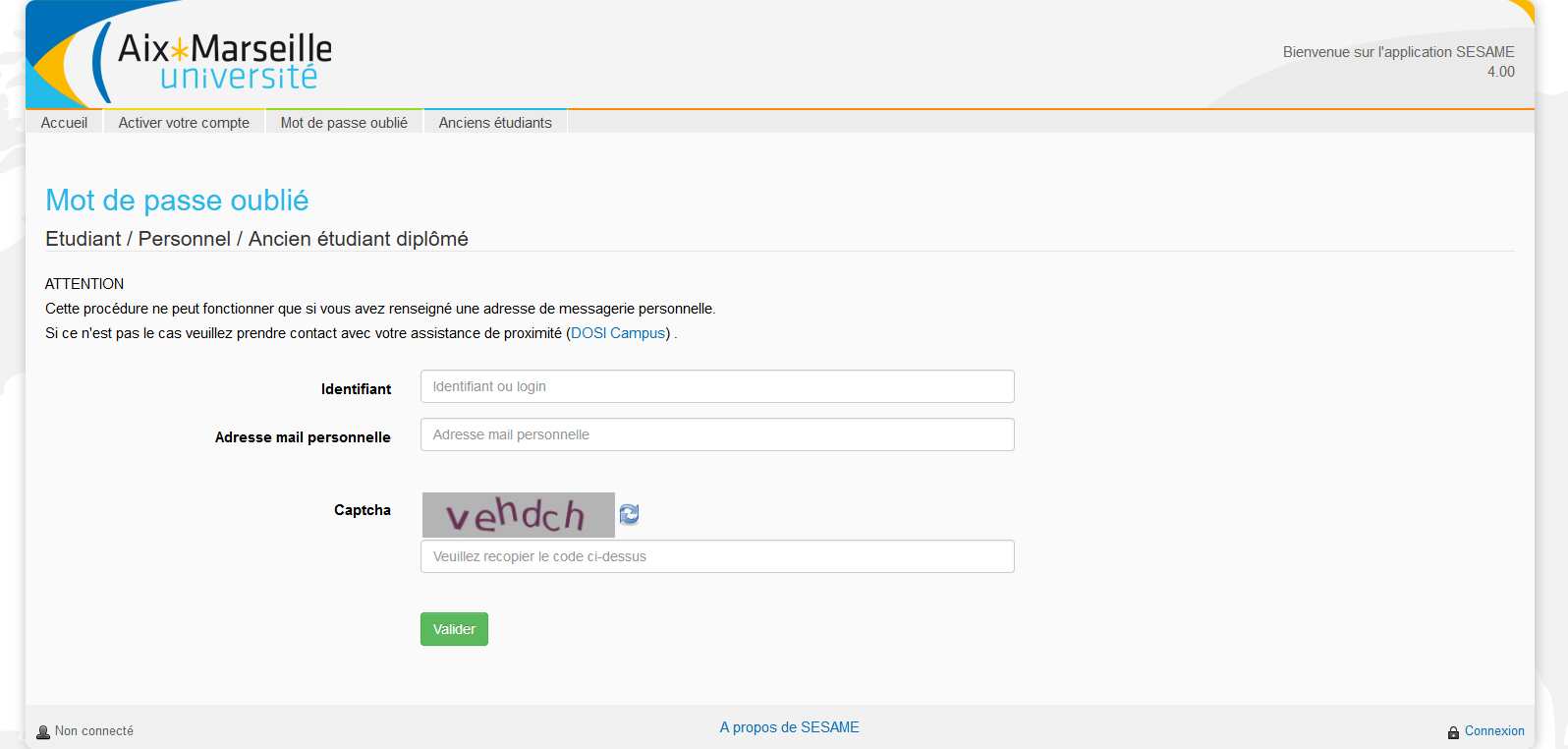
An e-mail will be sent to your personal e-mail address with instructions on how to change your password.
NB: if you have not previously entered a personal email address in your profile, please contact your campus DIRNum office.
I've had a problem with the activation or reset steps. What should I do? 
Contact your local DIRNum office.
You will find all the information you need on the Contacts page of the DIRNum AMU website.
- Se connecter pour publier des commentaires
- 1034 vues